CRM & Analytics
Know what each buyer looked at before you call.
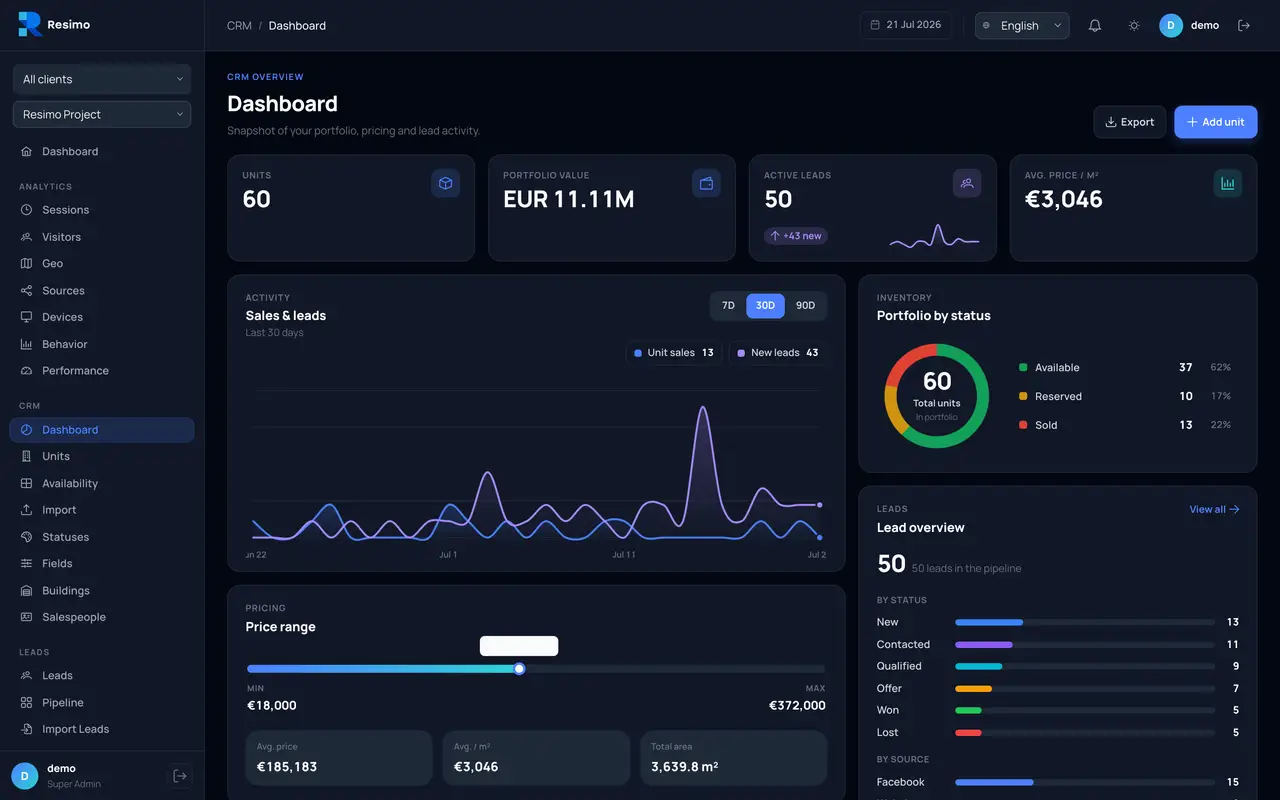
The panel connects the traffic from your Resimo Web application to your sales pipeline: leads, units, availability and conversations in one place.
Over 200+ real estate companies have worked with us




































































Audience
Who it is for
Sales directors who want to know who to call first. Marketing directors who pay for traffic and want to see which campaigns bring buyers, down to the unit. Boards who want sales, marketing and availability on one screen.
The problem
What it solves
A lead is a name and a phone number.
Every lead carries the apartment it asked about, and a timeline of what the buyer opened before they wrote, so the first call starts from the unit.
We pay for traffic and cannot say which campaign brings buyers.
Source and campaign sit on every lead, next to the apartments that campaign sold.
Availability lives in a spreadsheet that nobody trusts.
Buildings, floors and statuses on one board, with a change history for every unit.
Our CRM has no idea what a floor or a reservation is.
The panel is built around units, floors and reservations, the things a sale of apartments actually runs on.
One panel. Instead of five tools.
Options
What is in the panel
CRM
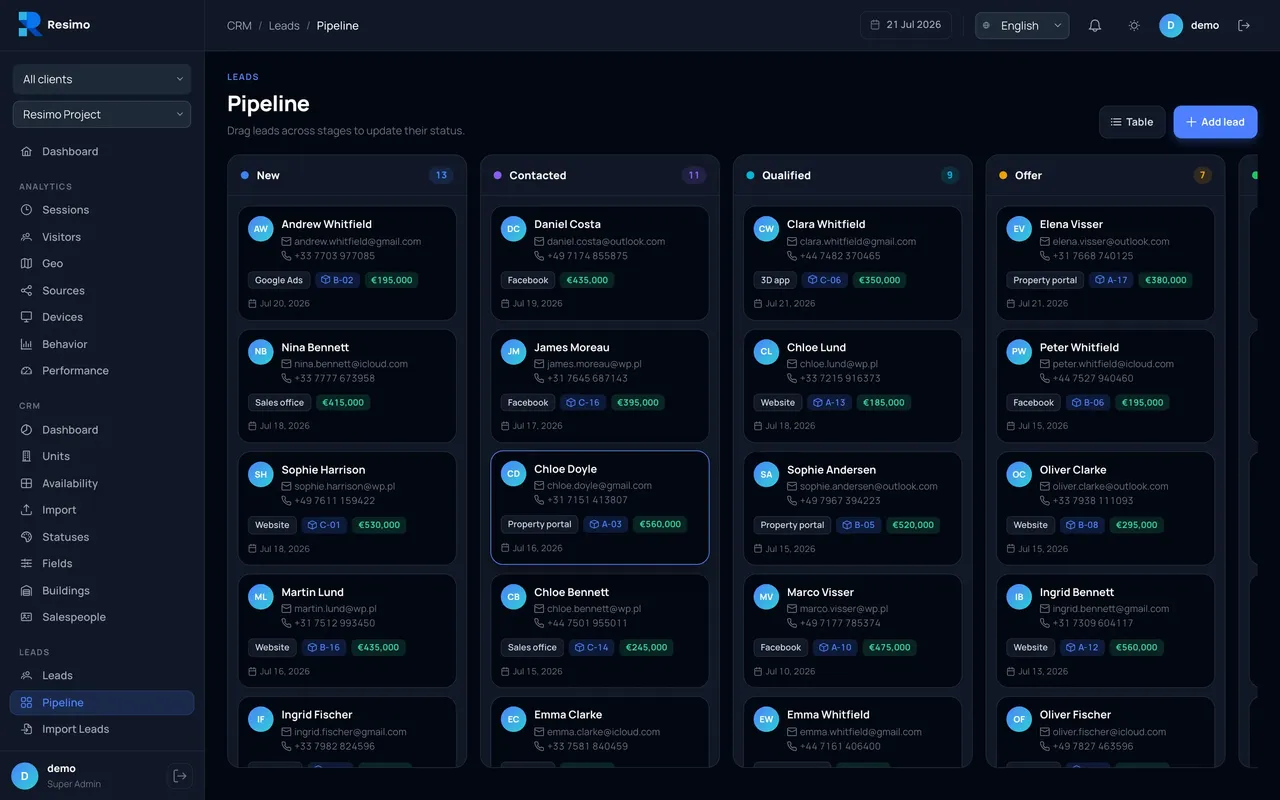
A pipeline that knows your units
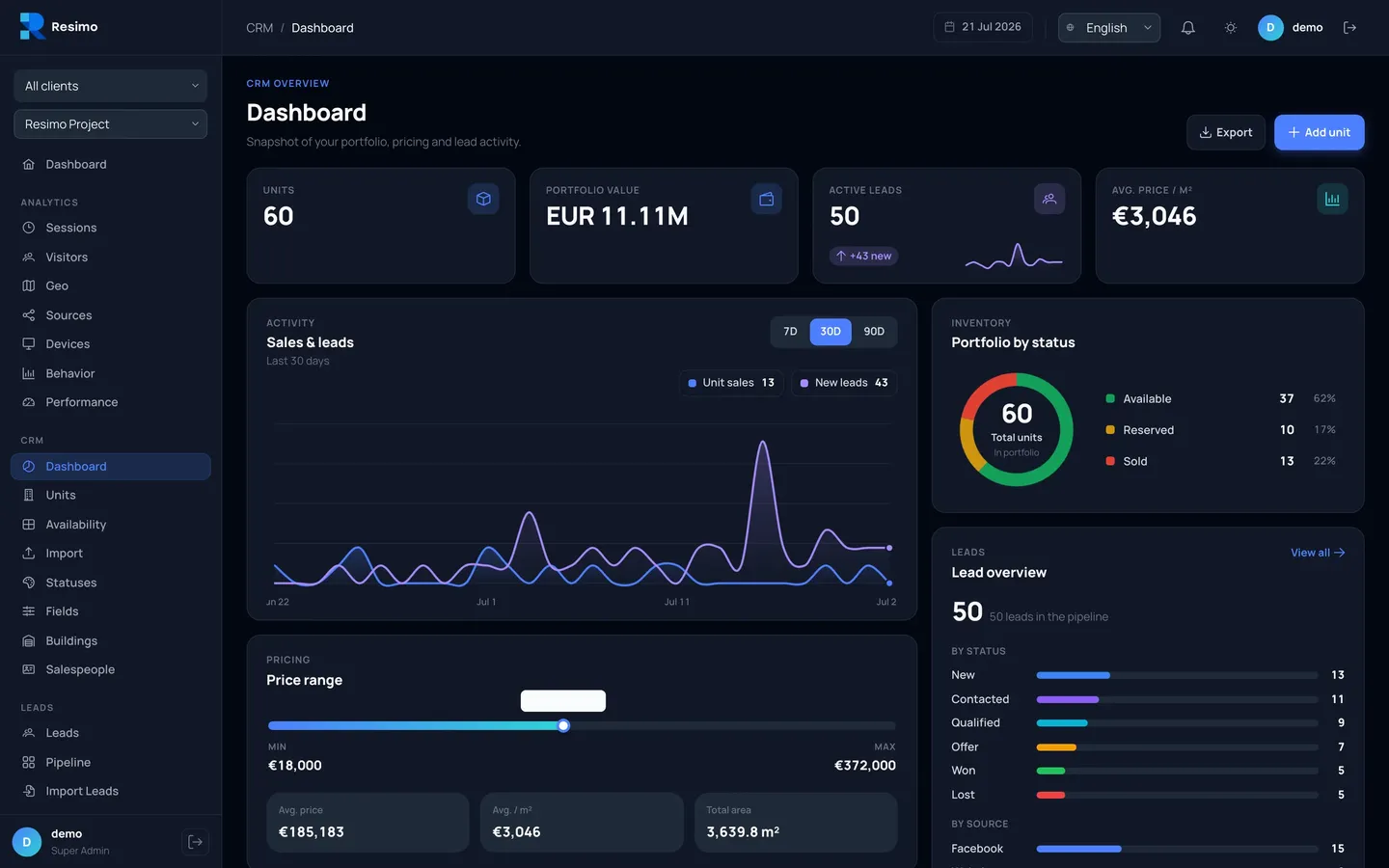
Every lead carries its source, its budget and the exact apartment it asks about. Dragging a card changes the status and keeps the history.
- Kanban with statuses you define yourself
- Notes, calls and meetings on every lead
- Excel import in four steps, XLSX and CSV export
Units
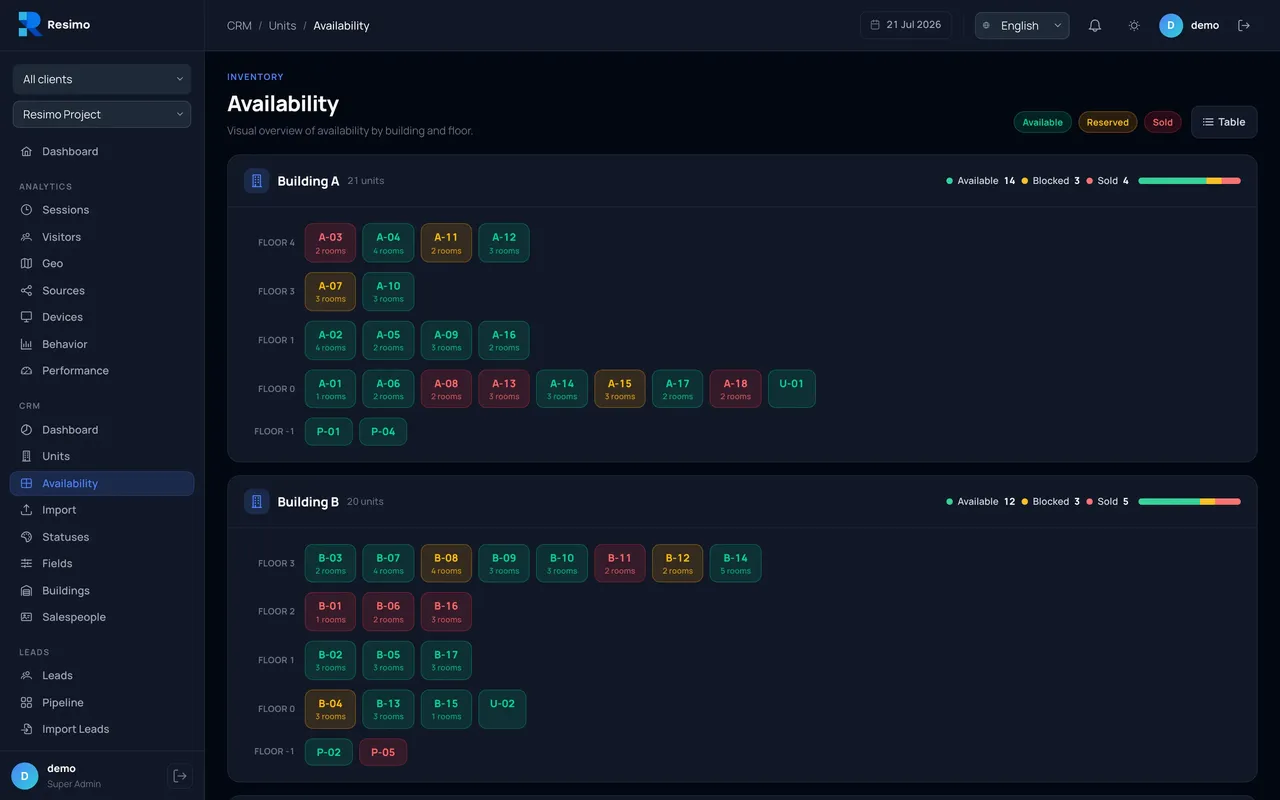
Your whole development on one board
No more checking a spreadsheet while the client waits. Buildings, floors and unit statuses at a glance, with prices and areas, so the whole team works from one source of truth.
- Statuses: available, reserved, sold
- Change history for every unit
- Portfolio value and average price per square metre on the dashboard
Analytics
Numbers your sales team understands
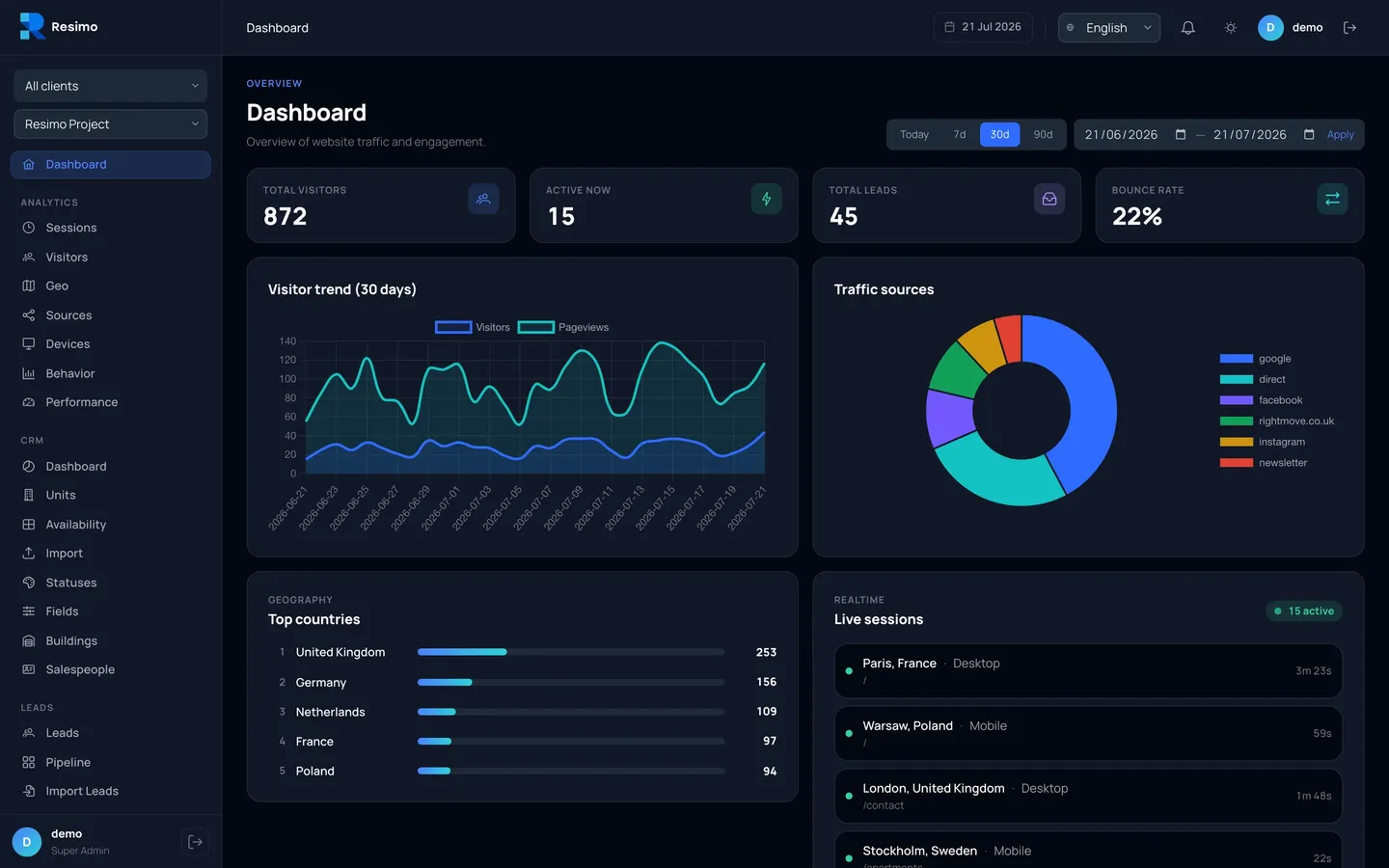
Sources, devices, geography and visitor behaviour, next to your leads and in the same panel. Watch live who is on the site and which campaigns bring actual buyers.
- Source and campaign on every lead
- A live view of who is browsing right now
- The most-viewed apartments from your web application
Sessions
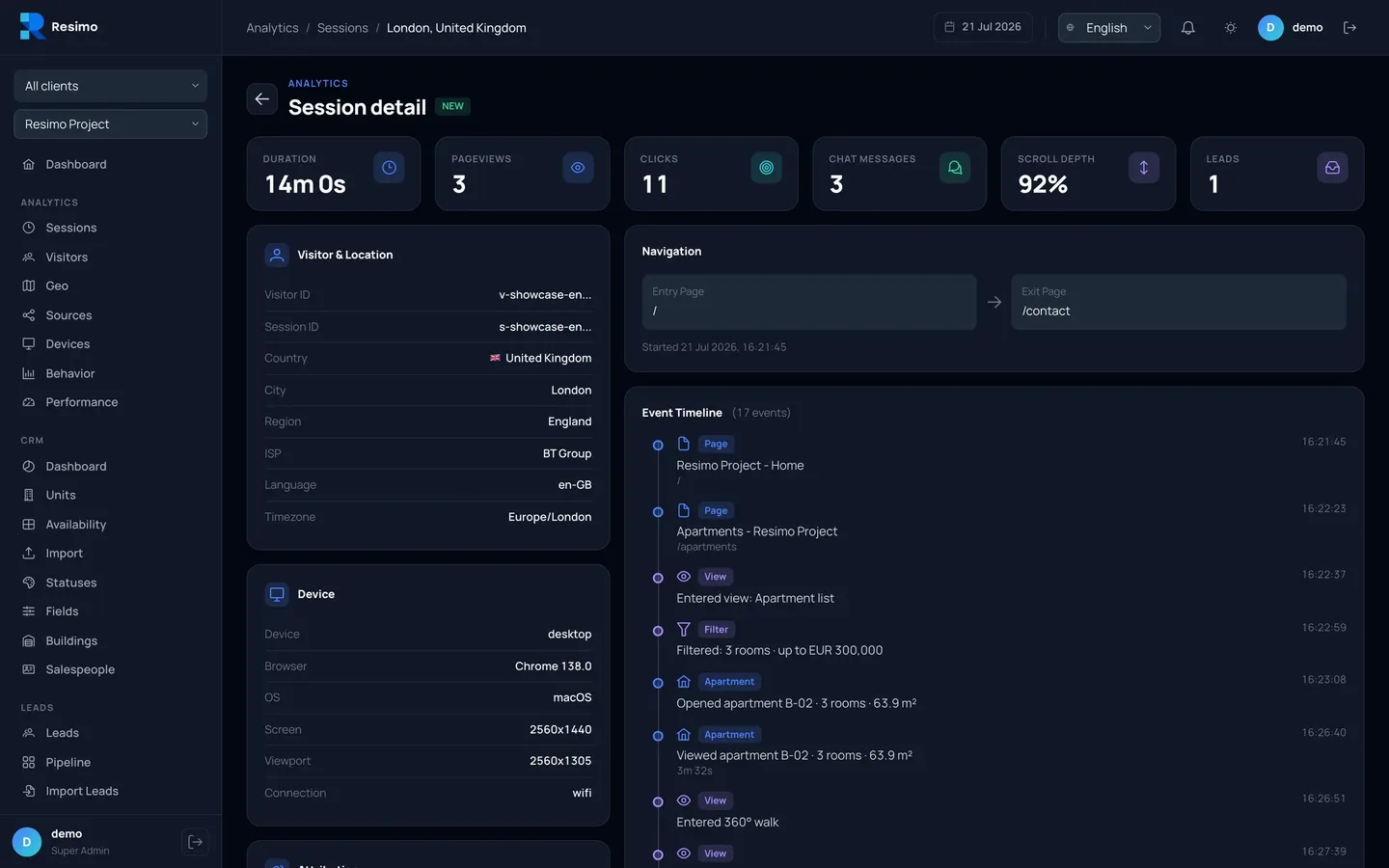
The buyer's path, apartment by apartment
A timeline of every visit shows which apartments the buyer opened, how long they looked and what they asked the chat. Scoring tells you who to call first.
- Events from the web application: apartments, walkthroughs, views
- Behavioural lead scoring
- Key moments: button clicks and forms
AI chat
The assistant answers, the panel remembers
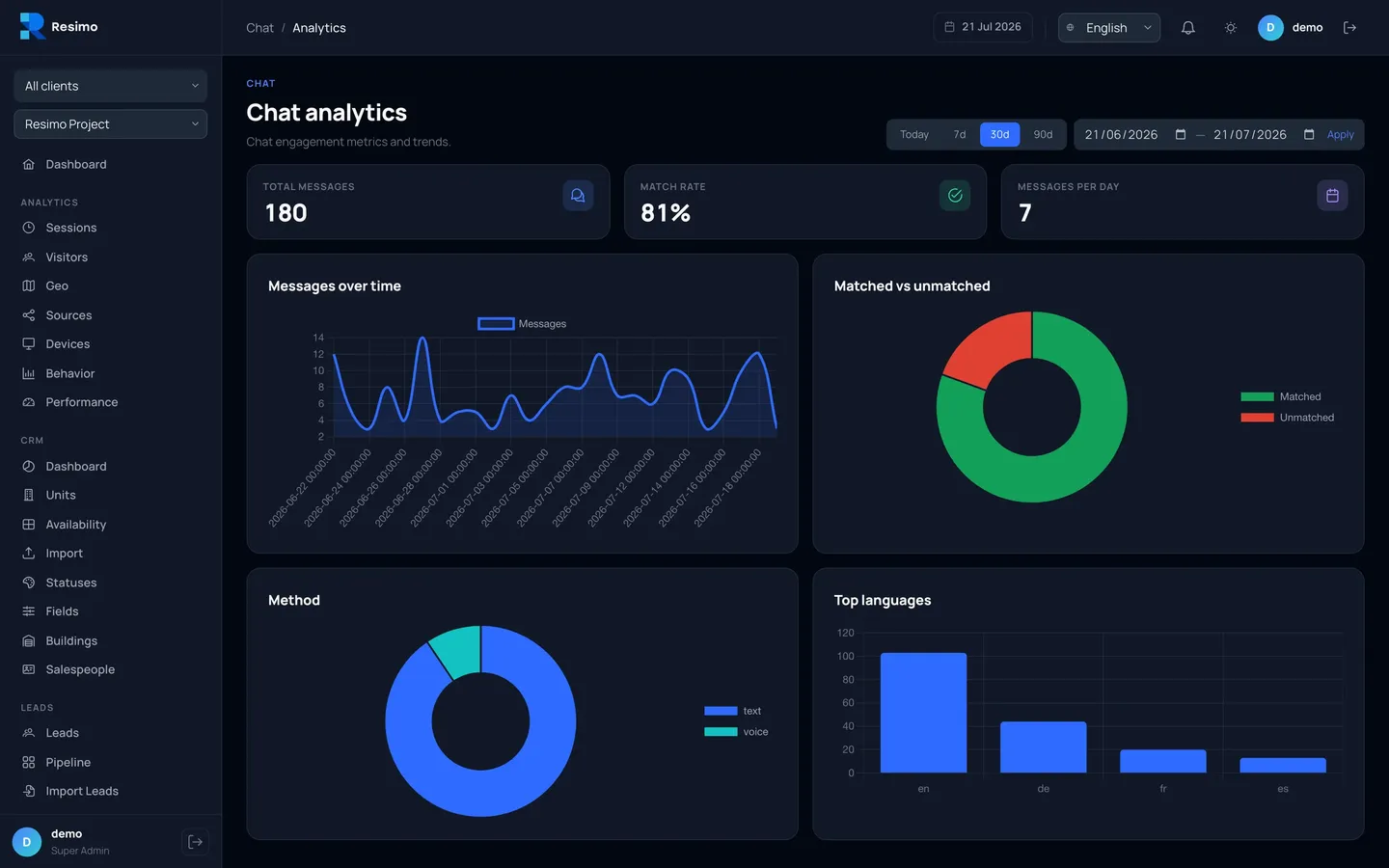
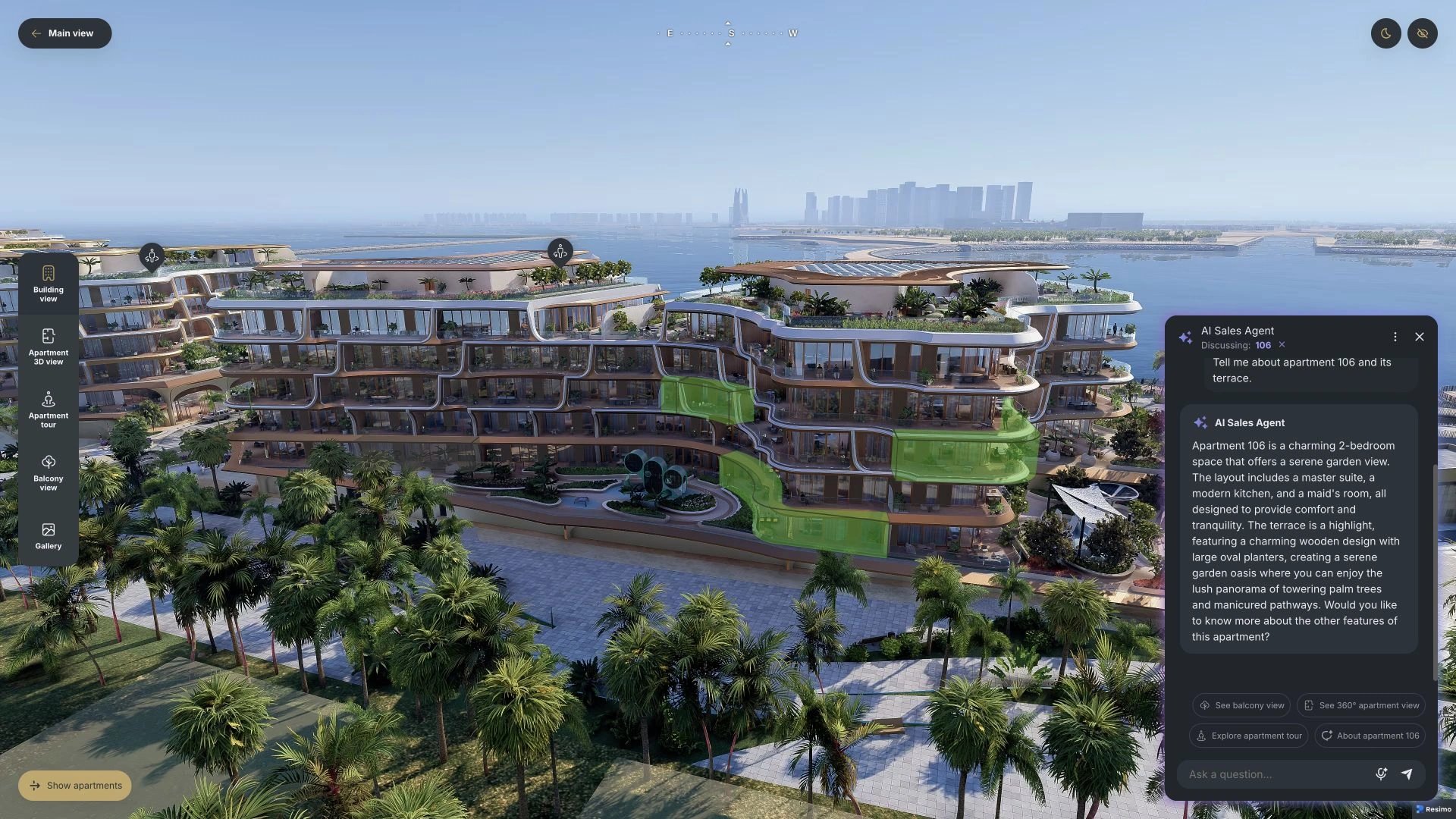
Questions about prices and dates arrive in the evening. The assistant replies at once, and every conversation lands in the panel with a match indicator, so you see what buyers really ask about.
- Full transcripts on the visitor's session
- Answer match rate
- Question analytics by topic and language
Platform
Many developments, one panel
Each development is its own project with its own currency and units. Grant access per module, integrate through the public API, and export and anonymise personal data for GDPR.
- Many projects in one panel
- Roles and permissions per module
- Public API
Compare
Alongside your CRM
The AI Sales Assistant writes its conversations into the panel, next to the visits they came from. If you run an enterprise CRM, keep it and connect it: the panel is the layer that understands units.
Made to fit
Fitted to how you sell
The panel follows the way your office already works.
- Statuses and fields that follow your process
- Leads from a spreadsheet or from your CRM
- Set up with your team during onboarding
Security
Security and personal data
Data is encrypted in transit and at rest, access is granted per module and per person, and the databases are backed up daily. The personal data of your buyers can be exported or anonymised on request. Our security document is shared on request, under NDA, so your IT team can review it before you sign.
Process
Live in three steps
Step 1
We plug in the panel
- It works with your Resimo Web application
- Data flows from day one
- No website rebuild
Step 2
You load units and leads
- Import from a spreadsheet or connect your CRM
- Statuses and fields match your process
- Your whole portfolio on one board
Step 3
The team works live
- We run the onboarding
- We train your sales office
- The panel becomes a daily tool
The solution was very well received by our clients, and the feedback from the sales team was very positive.
FAQ
Questions about the panel
What does the panel need from us?
Your Resimo Web application, because the panel reads its traffic, and your units, from a spreadsheet or from your CRM. Everything else we set up with your team.
Is the data ours?
Yes. Leads and units export to a spreadsheet at any time, and the public API reads them too.
Who in our team can use it?
Sales, marketing and the board, each with access to the modules they need, granted per person.
Still have questions?
Ask us anything else




See it live
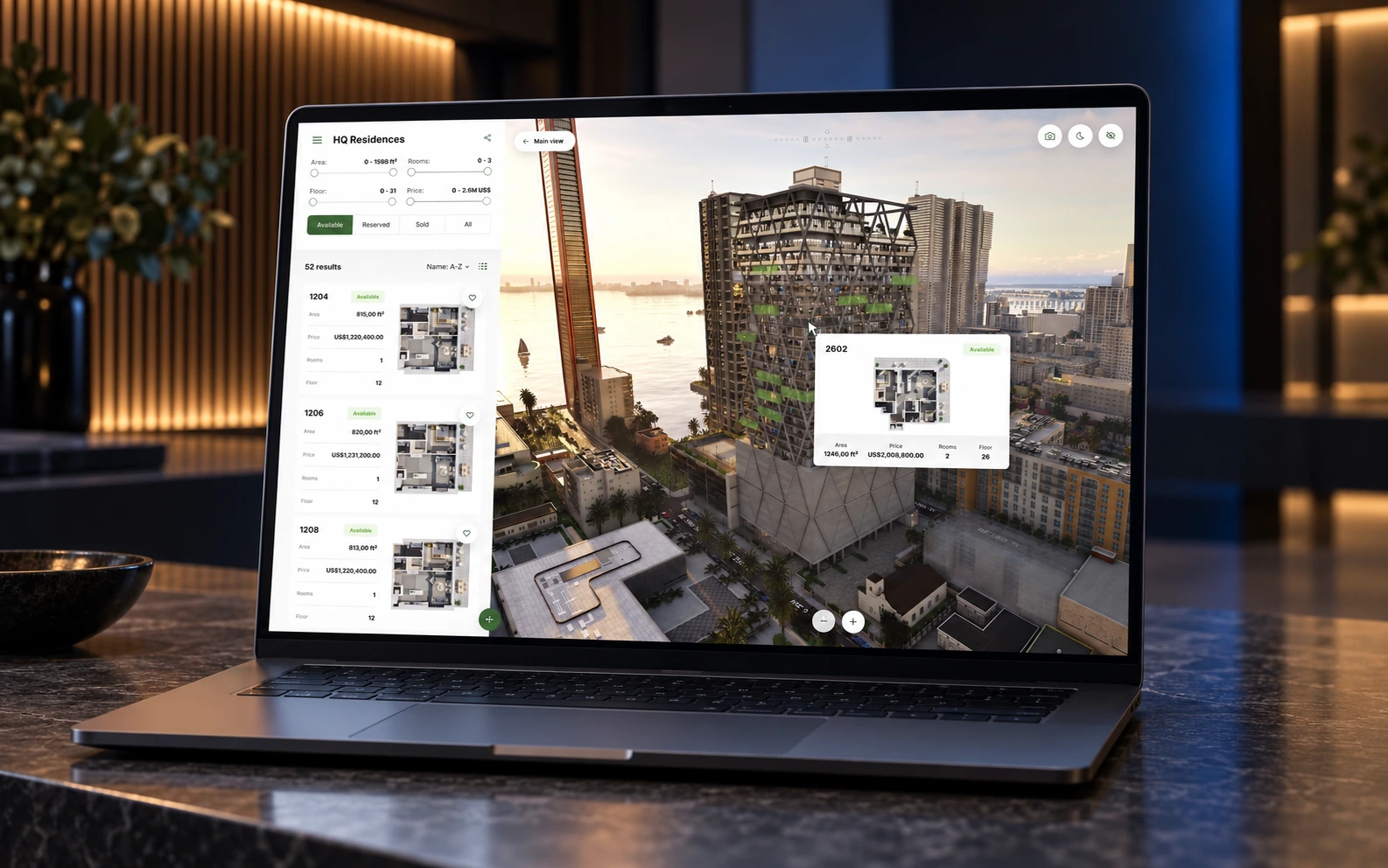
See the panel on your data
Write to us. We prepare a demo on your development, with your units and your campaigns in it.